Integrating the Monochrome Temple Icon into Modern Digital Design
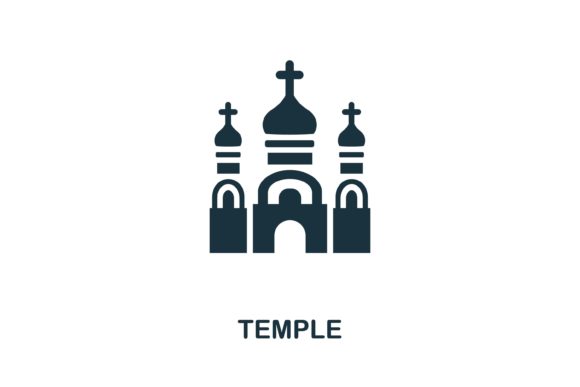
In the vast landscape of digital asset creation, finding imagery that balances cultural significance with modern aesthetic standards is a persistent challenge for designers. The Temple Icon serves as a critical visual anchor in projects ranging from religious education platforms to architectural portfolios and travel infographics. Unlike complex, multi-colored illustrations that can clash with established brand guidelines, a simple monochrome temple symbol offers versatility that few other graphical elements can match. This specific type of vector graphic bridges the gap between traditional symbolism and contemporary user interface requirements, providing a clean, recognizable silhouette that communicates meaning instantly without visual clutter.
The Strategic Value of Minimalist Religious Symbolism
When designing for web or print, clarity is paramount. A Temple icon stripped of unnecessary detail focuses entirely on the essential architectural or spiritual form. This reductionist approach is not merely an artistic choice; it is a functional necessity in responsive design. On high-resolution desktop monitors, intricate details might look stunning, but those same details often turn into indistinguishable noise when scaled down to a 16-pixel favicon or a mobile navigation button. Monochrome designs eliminate this risk by relying on strong negative space and bold lines.
This simplicity also aids in accessibility. High-contrast, single-color symbols are generally easier for users with visual impairments to interpret compared to low-contrast, multicolored illustrations. Furthermore, from a cognitive load perspective, a simple logo vector graphic allows users to categorize content faster. When a visitor scans a website featuring religious collections or historical sites, the brain processes a unified silhouette much quicker than a photorealistic image, improving overall navigation efficiency and user experience.
Technical Advantages of Vector Formats
The utility of any digital asset is defined by its file format and editability. When you acquire a professional Temple Icon, receiving both EPS and JPG files ensures compatibility across virtually every design workflow. Understanding the distinct roles of these formats is essential for maximizing the asset's value.
- EPS (Encapsulated PostScript): This is the master source file. As a vector format, it uses mathematical equations rather than pixels to define shapes. This means you can scale the temple symbol to the size of a billboard or shrink it to a business card without ever losing sharpness. It is fully editable in software like Adobe Illustrator, Affinity Designer, or CorelDRAW, allowing you to adjust stroke weights, change colors to match specific hex codes, or combine it with other vector elements seamlessly.
- JPG (Joint Photographic Experts Group): While raster-based, the included JPG serves as a universal preview and quick-use format. It is ideal for inserting directly into Word documents, PowerPoint presentations, or web builders that do not support vector editing. Having a high-resolution JPG ready saves time when a client needs a quick mockup or when working in environments where installing vector software is not possible.
The "easy to edit" nature of these files cannot be overstated. In professional workflows, assets rarely remain in their original state. A designer might need to convert the solid black temple icon into a white outline version for a dark mode website header. With an editable EPS, this transformation takes seconds. Without it, designers are forced to trace over raster images manually, wasting billable hours and often producing inferior results.
Practical Applications Across Industries
The application of a Temple icon extends far beyond religious websites. Its architectural and cultural connotations make it a staple in several diverse sectors. Recognizing these use cases helps stakeholders understand why investing in high-quality, editable vector graphics is a sound decision.
Travel and Tourism Infographics
Tourism boards and travel agencies frequently use temple symbols to denote points of interest on interactive maps. In this context, consistency is key. A map populated with mismatched icons—some flat, some skeuomorphic, some hand-drawn—looks unprofessional and confuses users. A cohesive set of monochrome temple icons creates a unified visual language. Because they are vectors, they can be color-coded dynamically; perhaps grey for general landmarks, gold for UNESCO heritage sites, and blue for ticketed attractions, all derived from the same base EPS file.
Educational and Historical Content
Textbooks, e-learning modules, and museum displays require imagery that respects the subject matter while maintaining academic neutrality. A simple illustration from a religion collection avoids the potential bias or specific denominational signaling that a photograph might inadvertently convey. The abstract nature of a logo vector graphic allows it to represent the concept of "temple" or "sacred space" universally. Educators can use these icons to create timelines, comparison charts, or flashcards that are visually engaging yet appropriately subdued for learning environments.
Corporate and Non-Profit Branding
Organizations focused on cultural preservation, interfaith dialogue, or architectural restoration often need branding that signals tradition without appearing dated. A modernized, minimalist temple symbol achieves this balance. It acknowledges heritage through form while embracing contemporary design through execution. These icons work exceptionally well in annual reports, donor presentation decks, and social media templates where space is limited and message clarity is critical.
Considerations for Selection and Implementation
Not all temple icons are created equal. When selecting a symbol for your project, several practical factors should influence your decision to ensure the asset performs as expected in production.
Cultural Accuracy and Sensitivity: Even in simplified form, architectural features carry meaning. Ensure the Temple Icon you choose reflects the appropriate stylistic elements for your specific context. A pagoda-style roof communicates something distinctly different from a classical pediment or a domed structure. While monochrome abstraction reduces specificity, the fundamental silhouette must still be respectful and accurate to avoid misrepresentation.
Visual Weight and Balance: When integrating the icon into a template or infographic alongside text and other graphics, consider its visual weight. A temple icon with extremely thick lines may appear heavier than surrounding elements, disrupting the layout's rhythm. Conversely, lines that are too thin may disappear at small sizes. The advantage of an editable EPS file is the ability to optically adjust the stroke width to achieve perfect harmony with your specific typography and spacing system.
Licensing and Usage Rights: Always verify the licensing terms associated with the vector graphics. For commercial web design, templates, or merchandise, ensure you have the appropriate rights. Royalty-free licenses typically allow broad usage, but some may restrict resale or require attribution. Keeping documentation of your license alongside your EPS and JPG files is a best practice that protects your organization from future legal complications.
Optimizing for Web Performance
While EPS files are perfect for editing, they are not suitable for direct web deployment. Modern workflows involve converting these vectors into web-friendly formats. SVG (Scalable Vector Graphics) is the ideal output format derived from your EPS master. SVGs retain infinite scalability while offering tiny file sizes, often under 5KB for simple temple symbols. They can also be animated with CSS or manipulated with JavaScript, opening possibilities for interactive hover states or loading animations that static JPGs cannot provide.
For scenarios where SVG is not supported or appropriate, export optimized PNGs with transparency from your vector source. Avoid using JPGs for web icons whenever possible, as the compression artifacts around sharp edges degrade quality significantly. The inclusion of a JPG in your asset package is primarily for offline reference and non-design applications, not for production web environments.
Enhancing Workflow Efficiency
Ultimately, the value of a professional Temple icon package lies in how it streamlines the creative process. Designers and content creators operate under tight deadlines, and having reliable, editable assets eliminates friction. Instead of spending hours searching for free alternatives that may be poorly constructed or legally ambiguous, starting with a premium EPS file provides a solid foundation.
This efficiency compounds over time. A well-organized library of consistent, editable religious and architectural symbols becomes a reusable resource across multiple projects. Templates built with these icons can be adapted for different clients or campaigns with minimal effort. The initial investment in quality vector graphics pays dividends through reduced production time, improved design consistency, and greater flexibility in meeting evolving project requirements. Whether you are building a comprehensive religion collection or simply need a single, powerful symbol for an infographic, prioritizing editable, monochrome vector formats ensures your visual communication remains effective, respectful, and professionally executed.